Mesh WiFi vs Range Extender: Which Fits Your Home?
A video call freezing halfway through the house, a smart TV that buffers near the pool, and security cameras that drop offline are rarely problems with the device itself. They are usually signs that Wi-Fi coverage does not match the way you use your property. When comparing mesh WiFi vs range extender, the better choice comes down to your layout, the number of connected devices, and how much consistency you expect from your network.
For a small home with one stubborn dead zone, an extender can be a practical fix. For larger Florida homes, multi-level spaces, detached garages, outdoor entertainment areas, or busy offices, a professionally designed mesh system often creates the more reliable long-term result.
Mesh WiFi vs Range Extender: The Core Difference
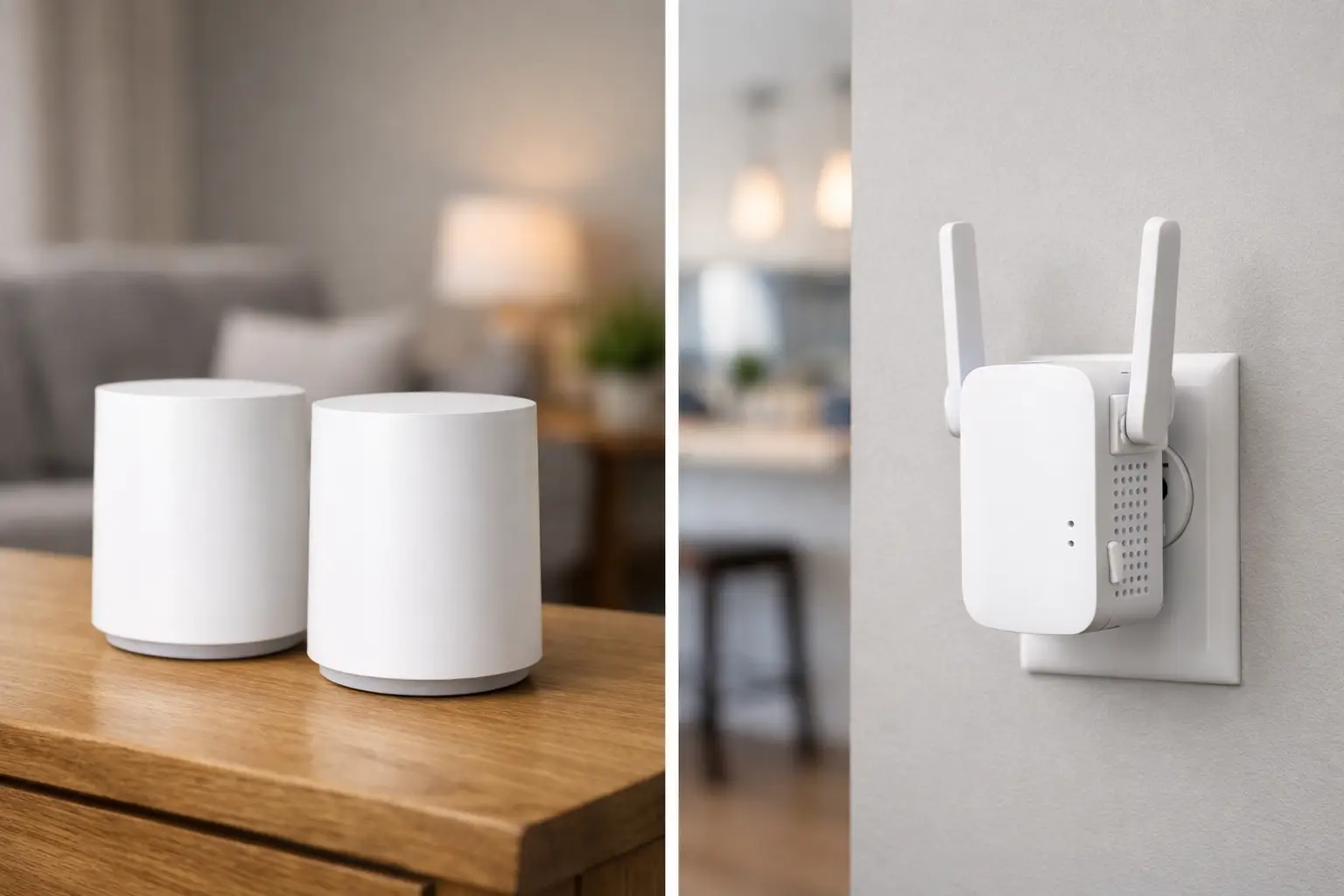
A range extender takes the signal from your existing router and rebroadcasts it farther into the home. Think of it as a relay point. It can help bring coverage to a back bedroom, porch, or office where the router signal is weak, provided the extender itself is placed where it still receives a solid signal.
A mesh WiFi system uses multiple coordinated access points, often called nodes, to create one connected network across the property. Instead of relying on a single router to reach every room, the system distributes coverage from several carefully placed points. Your phone, laptop, streaming device, or smart home equipment can move between those points without requiring you to manually switch networks.
That distinction matters in homes where Wi-Fi supports more than occasional web browsing. Smart TVs, video doorbells, cameras, voice assistants, gaming consoles, whole-home audio, tablets, phones, and work devices all compete for dependable connectivity. A network that looks adequate on a speed test near the router may still struggle where you actually live, work, and entertain.
When a Range Extender Makes Sense
A range extender is usually the lower-cost option, and it has a legitimate place in the right setup. If your home is relatively compact, your router is modern and centrally located, and only one room has weak reception, adding an extender may solve the problem without replacing the network.
For example, a homeowner may have reliable coverage throughout the main living areas but poor service in a guest room at the far end of the house. An extender placed between the router and that room could improve basic browsing, email, and light streaming.
The trade-off is performance. Because many extenders receive and retransmit data over the same wireless connection, speeds can decline, especially when several devices are active. Placement is also less forgiving than it appears. Put an extender too far into the dead zone and it has very little usable signal to repeat. Put it too close to the router and it may not extend coverage far enough to make a difference.
Extenders can also create a less polished everyday experience. Some use a separate network name, which means devices may stay connected to a weak original signal instead of moving to the stronger extended signal. Others use the same name but still do not manage device handoffs as intelligently as a well-designed mesh network.
Why Mesh WiFi Is Better for Connected Homes
Mesh WiFi is designed for coverage across an entire living or working environment, not just one trouble spot. Each node works with the others to give devices a stronger nearby connection. The result is more consistent streaming, video calling, camera performance, and smart home control from room to room.
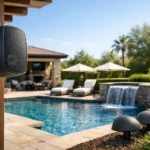
This is especially useful in Florida properties where construction materials, concrete block walls, metal framing, mirrors, and large glass doors can interfere with wireless signals. Outdoor kitchens, lanais, pool decks, detached structures, and home theaters can add more distance and more obstacles. A single router, even an expensive one, cannot always overcome those physical limitations.
A professionally planned mesh installation also provides a cleaner finished result. Nodes can be positioned where they perform best while respecting the room’s design and avoiding obvious clutter. When wiring is available, certain mesh access points can use a wired backhaul. That means the nodes communicate through cable instead of competing for wireless bandwidth, helping preserve speed and stability where it matters most.
For a home with extensive smart technology, wired backhaul is often the difference between Wi-Fi that merely reaches a space and Wi-Fi that performs reliably in it.
One Network Name, Better Movement Around the Property
The benefit people notice most is simple: you walk from the living room to the bedroom, patio, garage, or upstairs office without thinking about the network. Mesh systems are built to direct devices toward the best available node as you move.
That matters when you are on a call while walking through the home, controlling music in several zones, watching a live camera feed, or streaming a game outdoors. The goal is not just more bars on a phone. It is a connection that keeps working without interruption.
Capacity Matters as Much as Coverage
A range extender may broaden signal reach, but it does not necessarily improve how a network handles dozens of connected devices. Mesh systems are generally better suited for busy households and businesses because they distribute clients across multiple access points.
A family may be streaming in the media room while someone works remotely, cameras record activity, children game online, and guests connect around the pool. A small business may have staff devices, point-of-sale systems, music, guest Wi-Fi, and security cameras operating at the same time. In these cases, network capacity and traffic management become just as important as raw speed from the internet provider.
Cost: The Upfront Price vs the Everyday Experience
Range extenders cost less upfront. That makes them appealing when the issue is isolated and expectations are modest. If one affordable extender eliminates a small dead zone, it may be the right answer.
Mesh WiFi costs more because it involves multiple components and, ideally, a plan for where those components belong. Professional installation can add to the initial investment, particularly if new wiring is needed. But it may prevent the cycle of purchasing extenders, moving them around, rebooting equipment, and still living with weak coverage in the spaces you care about.
The value of mesh is not only technical. It is also convenience. Homeowners who invest in a theater, whole-home audio, outdoor TV, security system, or smart lighting should not have to troubleshoot a weak signal every time they use it. A strong network becomes the foundation that lets those upgrades feel easy rather than complicated.
How to Choose the Right Solution
Start by identifying whether you have a single coverage problem or a whole-property network problem. One weak bedroom in an otherwise reliable home points toward an extender. Weak streaming in multiple rooms, frequent camera dropouts, inconsistent outdoor coverage, or devices that struggle as you move around the property point toward mesh WiFi.
Also consider the age and location of your current router. A router hidden in a cabinet, placed at one end of the house, or supplied years ago by an internet provider may be limiting your performance before an extender or mesh node is ever added. Internet speed matters, but it is only one piece of the picture. Placement, wiring, building materials, device count, and network configuration all affect the result.
For larger homes and businesses, a site-aware design is worth considering. The best node locations are not always the most obvious ones, and a professional can account for walls, outdoor zones, equipment racks, cameras, and future AV upgrades. Frequencies USA designs connectivity around how a space is actually used, with clean installation and dependable performance in mind.
A range extender can be a smart, economical answer to one small gap. A mesh system is the better investment when your Wi-Fi needs to support the full experience of your home or business. The right network should fade into the background, leaving your movies, music, work calls, cameras, and time outdoors free to work exactly as they should.
 Previous Post
 Next Post