How to Improve Home WiFi Without Guesswork
A video call freezes just as the kids start streaming upstairs. The smart TV buffers in the living room, while the Wi-Fi signal disappears completely by the pool. If you are asking how to improve home wifi, the answer is rarely just buying a more expensive router. The best results come from identifying where your connection breaks down, then designing coverage around how your home actually works.
For many Florida homes, that means thinking beyond the living room. Concrete block walls, large floor plans, outdoor entertaining areas, detached garages, smart cameras, and a growing number of connected devices can all place real demands on a standard internet setup. A few well-chosen changes can make daily technology feel much easier to use.
Start With the Internet Connection You Already Have
Before replacing equipment, determine whether the problem is your Wi-Fi network or the internet service coming into the house. Run a speed test while standing near your main router, preferably with a newer phone or laptop. Then compare that result with the speed plan you pay for.
If the speed is consistently far below your plan even beside the router, the issue may be your modem, service provider, or the connection entering the home. If the speed is strong near the router but weak in bedrooms, upstairs spaces, or outdoors, the internet itself is likely fine. Your Wi-Fi coverage is the problem.
It also helps to test at different times of day. A connection that slows down only in the evening may be affected by heavy household use, neighborhood congestion, or a device that starts large downloads in the background. Knowing when and where performance drops prevents you from spending money on the wrong fix.
Put the Router Where the Home Can Use It
A router tucked inside a cabinet, set on the floor, or hidden behind a television has to push a signal through more obstacles than necessary. Wi-Fi is wireless, but it is not magic. Dense walls, mirrors, metal, water, appliances, and even large furniture can weaken it.
Place the main router in an open, elevated, central area whenever possible. A hallway, office, or central living area is usually better than a far corner of the house. Keep it away from enclosed media cabinets and avoid placing it next to a microwave, cordless phone base, or a large bank of electronics.
That advice has limits. A centrally located router may still struggle in a long ranch home, a two-story layout, or a property with concrete block construction. Moving one router can improve a small home dramatically, but it cannot reliably cover every room, lanai, pool deck, and detached building in a larger property.
Give Your Router Room to Work
The router’s antennas, whether visible or built into the unit, need clear space around them. Do not stack it under game consoles, cable boxes, or audio components. If your router has adjustable external antennas, position them in different directions rather than pointing them all the same way. This can help devices on different floors receive a more balanced signal.
How to Improve Home WiFi With a Mesh System
For homes with dead zones, a properly designed mesh Wi-Fi system is often the most practical upgrade. Instead of expecting one router to cover the entire property, mesh systems use multiple access points that work together under one network name. Your phone, laptop, and smart devices can move from room to room without requiring you to manually change networks.
Placement matters more than the number of mesh units. Adding nodes everywhere may sound like better coverage, but too many poorly placed units can create interference or force devices to make inefficient connections. Each access point needs a strong enough connection to the main network to do its job.
A typical home may need a primary router plus one or two carefully placed access points. Larger homes may need more, especially when reliable service is required upstairs, in a home office, on a covered patio, or near exterior security cameras. The right design depends on floor plan, wall materials, internet speed, and how many devices are active at once.
For the strongest performance, connect mesh access points with Ethernet cable when possible. This is called a wired backhaul. It frees the wireless signal to serve phones, TVs, tablets, and smart home devices instead of using part of its capacity to communicate between mesh units. In a professionally planned installation, those cables can be concealed cleanly within the home rather than left exposed along baseboards.
Give High-Demand Devices a Wired Connection
Not every device needs Wi-Fi. In fact, the equipment that matters most often benefits from a wired connection. Smart TVs, streaming boxes, gaming consoles, desktop computers, network video recorders, and stationary workstations can all perform more consistently with Ethernet.
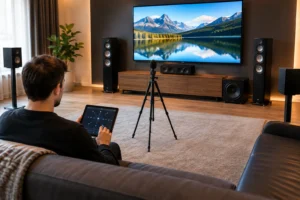
Wiring these devices reduces traffic on the wireless network and helps prevent buffering or lag when several people are online. This is especially useful in media rooms and home theaters, where 4K streaming, gaming, whole-home audio, and smart controls may all be working at the same time.
The trade-off is installation complexity. Running a visible cable across a room may solve a short-term problem but can compromise the look of a finished space. A clean wired network is best planned around the room, the equipment, and the pathways available behind walls or through attics.
Update Equipment Before It Becomes the Bottleneck
Older routers can still connect devices, but they may struggle with a modern household. A family may have dozens of connected products: phones, laptops, tablets, doorbells, cameras, TVs, thermostats, speakers, appliances, and pool equipment. The router has to manage all of them, often while handling video calls and high-resolution streaming.
If your router is several years old, upgrading to current Wi-Fi equipment can improve speed, capacity, and device management. Newer standards are designed to handle crowded networks more efficiently, not simply to produce a higher speed-test number next to the router.
Do not choose a router based only on the largest speed listed on the box. Coverage area, device count, antenna design, wired ports, security features, and mesh compatibility all matter. The right equipment for a compact condo is not necessarily right for a multi-level home with outdoor entertainment zones.
Separate Convenience From Performance Problems
Sometimes the Wi-Fi signal is strong, but the connected device is the weak point. An older tablet may not support newer Wi-Fi standards. A streaming device may need an update. A smart TV can have a slower network chip than a separate streaming player. Before redesigning the entire network around one troubled device, check whether the issue follows that device from room to room.
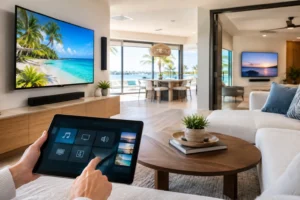
Smart home products can also create clutter on a network when they are installed without a plan. Cameras, doorbells, voice assistants, switches, and sensors need dependable coverage, but they do not all need the same priority as a work computer or gaming console. A well-configured network can separate guest access and smart devices from primary household devices, improving both organization and security.
Changing the default router password, using current security settings, and keeping firmware updated are basic steps that protect performance as well as privacy. Unknown devices connected to your network consume bandwidth and make troubleshooting harder.
Do Not Forget the Outdoor Spaces
A weak signal outside is common because exterior walls are designed to protect the home, not pass Wi-Fi. Yet outdoor coverage matters when you use speakers by the pool, stream a game from the patio, work on a lanai, or rely on Wi-Fi security cameras around the property.
An indoor mesh node pressed against an exterior wall may offer limited improvement. Reliable outdoor coverage usually calls for equipment designed for that environment and placed where it can serve the space without being exposed to unnecessary weather risk. This is one area where careful planning pays off, particularly for homes in Tampa Bay where outdoor living is part of everyday life.
When a Professional Wi-Fi Design Makes Sense
A basic reset, better router placement, and a mesh upgrade can solve many common issues. But a professional design becomes worthwhile when the problem involves a large footprint, concrete walls, recurring dead zones, a home office that cannot drop connection, an outdoor area, or multiple AV and security systems competing for bandwidth.
Frequencies USA designs Wi-Fi networks around the property and the way each client uses it. That can include strategically placed mesh access points, wired backhaul, equipment rack organization, hardwired connections for high-performance entertainment systems, and cleanly concealed wiring. The goal is not more boxes on shelves. It is dependable coverage that works quietly in every space where you need it.
A better home network should disappear into the background. When movie night starts without buffering, work calls stay clear, cameras remain connected, and the patio has the same reliable signal as the family room, technology finally feels like a convenience instead of another household chore.
 Previous Post
 Next Post