Conference Room TV Mounting Service That Works
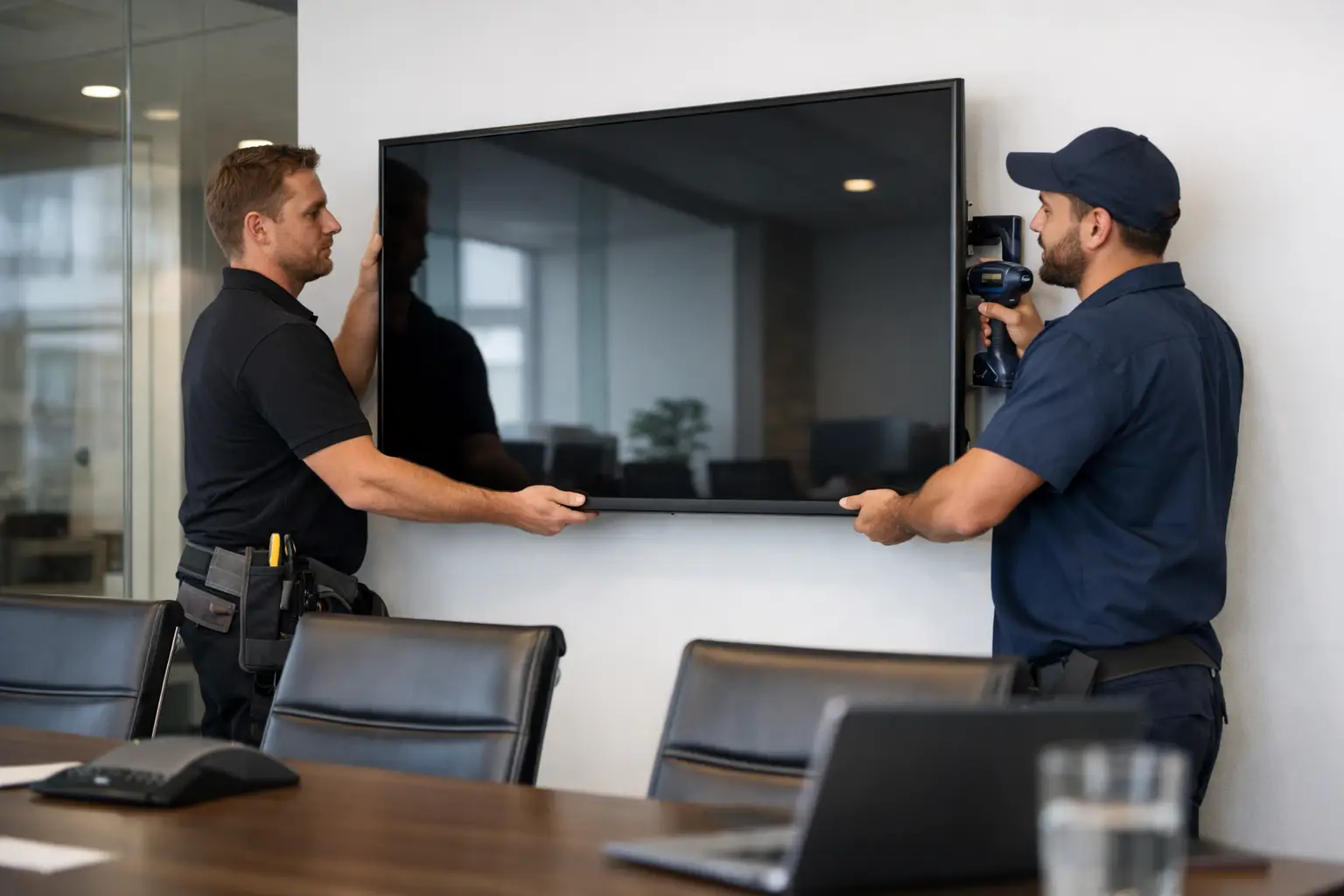
A meeting can lose momentum fast when a screen is too small to read, mounted at an awkward height, or surrounded by cables and adapters. A professional conference room TV mounting service turns that frustration into a polished, easy-to-use presentation space where teams can share ideas, host video calls, and keep the focus on the conversation.
For Florida businesses, the right display installation is not simply about getting a TV on the wall. It is about planning the room around how people actually meet. A sales team may need quick wireless sharing. A medical office may need a reliable display for staff training. A growing company may want a conference room that looks as capable and professional as the work being done inside it.
More Than a TV on the Wall
A large screen is only useful when everyone in the room can see it comfortably. Mounting height, viewing angles, glare from windows, seating distance, and the position of a conference table all affect whether the display supports the meeting or distracts from it.
A professional installer evaluates those details before mounting begins. The goal is a screen that is centered, secure, visible from the right seats, and proportionate to the room. In a smaller huddle room, an oversized display can overwhelm the space. In a long boardroom, a screen that looks impressive on the wall may still be too small for the people seated farthest away.
The wall itself matters, too. Drywall, concrete block, metal studs, fireplaces, and custom millwork each require a different mounting approach. Choosing the wrong hardware or skipping proper backing can create a safety issue and leave a costly display vulnerable. A clean installation starts with making sure the mounting location can properly support the equipment.
A Conference Room Should Be Easy to Use
The best meeting room technology feels simple to the people using it. Staff members should not have to search for the right remote, move cables around the table, or call IT every time they want to present a laptop screen.
That is why TV mounting should be planned alongside the rest of the room’s AV system. The display may need HDMI connections, wireless screen sharing, a video conferencing camera, ceiling or soundbar speakers, microphones, and a simple control option. When these pieces are considered together, the finished room is easier to operate and looks far more organized.
For some businesses, a basic mounted display with a hidden HDMI connection is the right solution. For others, especially teams that meet with remote clients or regularly present to groups, it makes sense to build a more complete conferencing setup. There is no benefit in paying for features your team will not use. The right design matches the room, the budget, and the way your people work.
Clean Cable Management Changes the Entire Room
Visible wires can make even a beautifully furnished conference room feel unfinished. Power cords, network cables, HDMI leads, and equipment connections often become a tangled collection behind the display or along the floor if the installation is treated as an afterthought.
Concealed wiring creates a much cleaner result. Cables can be routed inside the wall where appropriate, while needed connections remain accessible and clearly organized. This helps protect equipment, reduces trip hazards, and makes it easier to service the system later without tearing apart the room.
A tidy installation also supports the image your business presents to visitors. Clients notice the details. A well-mounted display with no exposed wiring communicates care, preparation, and professionalism before the meeting even begins.
Choosing the Right Screen Location
The most obvious wall is not always the best wall. A display mounted opposite large windows may suffer from glare during key parts of the day. A wall near a door may make the screen difficult to view whenever people enter or leave. Mounting above a credenza can look clean, but only if the display sits at a comfortable viewing height and the cabinet does not interfere with cable access or ventilation.
A site visit helps identify these issues early. Installers can assess available power, network access, wall construction, lighting conditions, and whether the screen needs to support a camera or other conferencing components. Planning first avoids the familiar situation where a TV is mounted, only to discover that the nearest outlet is in the wrong place or the camera angle does not show everyone at the table.
If the room has significant natural light, the display selection may matter as much as the mount. Bright rooms often benefit from a screen with stronger light output and a finish that reduces reflections. In other cases, window treatments or a modest adjustment in screen placement may solve the problem without requiring more expensive equipment.
What a Professional Installation Can Include
A conference room TV mounting service can be as focused or as comprehensive as your business needs. The foundational work includes secure mounting, proper placement, and clean cable routing. From there, the room can be designed around practical meeting needs.
Common additions include wireless presentation options, hardwired laptop connections, video conferencing cameras, microphones, soundbars, in-ceiling audio, network connections, and easy controls. A dedicated media cabinet or small equipment area can keep source devices and power management out of sight while still allowing convenient access.
There are trade-offs to consider. Wireless sharing is convenient, but some organizations prefer hardwired connections for predictable performance during high-stakes presentations. Soundbars work well in many smaller rooms, while larger spaces may need distributed speakers and microphones so remote participants can hear everyone clearly. The best choice depends on room size, acoustics, meeting habits, and the platforms your team already uses.
Avoid the Common Shortcuts
Many conference room display problems come from shortcuts made before the first meeting is held. Mounting a TV too high, relying on a consumer extension cord, using a mount that does not allow leveling, or leaving all connections exposed can create daily annoyances that are costly to correct later.
Another common issue is installing the display without considering future needs. A business may start with occasional presentations, then add remote meetings, training sessions, or client demonstrations months later. Leaving room for additional cabling, a camera, or audio upgrades can make future improvements far easier.
It is also worth considering service access. Equipment should look hidden, not impossible to reach. A thoughtfully planned installation keeps cables protected and components discreet while allowing qualified technicians to make updates or troubleshoot when needed.
A Better Experience for Staff and Clients
A well-designed conference room helps meetings start on time. Presenters can connect quickly, participants can see the content clearly, and remote attendees can hear and be heard without constant adjustments. That time savings adds up across a busy week.
The visual impact matters as well. Whether your business is updating a Tampa office, a Clearwater professional suite, or a meeting room in a growing local workspace, a clean AV installation gives the room a finished, intentional feel. It supports better communication without turning the space into a maze of technology.
Frequencies USA approaches commercial display installations with the same attention to clean aesthetics, reliable performance, and customized design that clients expect from a professional AV partner. From selecting the right mounting location to concealing cables and integrating the equipment your team relies on, the focus stays on making technology feel easy.
A conference room should help people make decisions, build trust, and move work forward. Start with a display installation that looks right, works when it is needed, and lets every meeting begin with confidence.
 Previous Post
 Next Post