Can Mesh WiFi Support Streaming at Home?
A movie that buffers just as the game-winning play starts is not a TV problem. It is usually a network problem. So, can mesh WiFi support streaming? Absolutely – when the system is designed for the size, layout, materials, and number of connected devices in your home or business.
For Florida homeowners, reliable streaming often has to reach far beyond the living room. It may need to serve a media room, bedrooms, a home office, a patio TV, pool-area speakers, security cameras, and every phone or tablet in between. A properly planned mesh WiFi network can deliver that coverage while keeping the equipment discreet and the experience easy to use.
How Mesh WiFi Supports Streaming
A traditional WiFi setup relies on one router broadcasting from a single location. That works reasonably well in a compact, open floor plan, but the signal loses strength as it moves through walls, floors, cabinetry, concrete block, metal framing, and outdoor areas. By the time it reaches a back bedroom or lanai, streaming video may slow down, lower its picture quality, or stop to buffer.
Mesh WiFi uses multiple access points, often called nodes, placed throughout the property. Instead of asking one router to cover every room, the nodes work together to extend coverage where it is needed. Your phone, TV, streaming box, or gaming console connects to the closest available node as you move around the property.
That coverage matters because streaming is not just about whether a device can connect. It needs a stable connection that can consistently move enough data. A weak signal can cause a 4K movie to drop to lower resolution, turn a live sporting event blurry, or interrupt an important video call even when your internet plan looks fast on paper.
Can Mesh WiFi Support 4K Streaming on Multiple TVs?
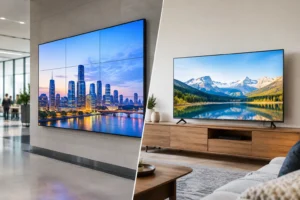
Yes, but the answer depends on the entire network, not simply the number of mesh nodes. A good mesh system can comfortably support several 4K streams, provided the incoming internet service and in-home network are sized correctly.
As a practical benchmark, one 4K stream can use roughly 15 to 25 Mbps, depending on the streaming platform and content. A household with three 4K TVs, smart home devices, phones, laptops, and security cameras can consume bandwidth quickly. Add a remote work meeting or online gaming session, and a basic internet plan may become the limiting factor.
The speed advertised by your provider is only one part of the equation. WiFi performance can be affected by the distance to each node, wireless interference, node placement, and the connection between nodes. A home may receive excellent internet speed at the main router but still have poor streaming at the far end of the house if the mesh system is not positioned correctly.
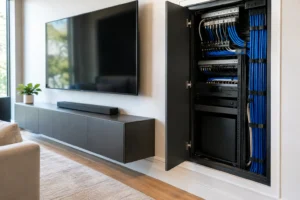
For homes with multiple entertainment zones, the best result often comes from using wired backhaul. This means each mesh access point is connected through Ethernet cabling rather than relying on WiFi to communicate with the main router. It preserves more wireless capacity for your TVs, mobile devices, and smart equipment. It is especially valuable in larger homes, concrete block construction, and outdoor entertainment areas.
What Determines Streaming Quality on a Mesh Network?
Mesh WiFi is an excellent solution, but it is not a magic fix for every buffering issue. Professional planning starts with identifying what is creating the weak point.
Internet speed and service reliability
If the internet service itself cannot handle the household’s total demand, adding nodes will not create more bandwidth. A speed test near the main router can help reveal whether the provider connection is the issue. If speeds are inconsistent at the source, the solution may involve a service upgrade or a conversation with the provider before changing the WiFi equipment.
Node placement
A node hidden in a cabinet, placed behind a television, or installed at the extreme edge of the existing signal cannot perform at its best. Each point needs a strong connection to the network while also being close enough to serve the devices in that area.
Placement is particularly important in homes with dense interior walls, masonry, mirrors, large appliances, or metal HVAC components. These materials can weaken or reflect wireless signals. A clean installation can still look polished without sacrificing performance, but it takes planning before equipment is mounted or concealed.
Wireless backhaul versus wired backhaul
Wireless mesh nodes communicate through the air, which makes them convenient in homes without network cabling. Modern systems can perform very well this way, especially in smaller or less challenging layouts. The trade-off is that some wireless capacity is used to keep the nodes connected to each other.
Wired backhaul provides a more dependable foundation for demanding homes and commercial spaces. It is a strong choice for media rooms, detached garages, outdoor TVs, camera-heavy properties, and any setup where uninterrupted 4K streaming matters. Concealed Ethernet cabling also creates a cleaner finished look than relying on visible extenders and improvised equipment placement.
The number and type of connected devices
A network serving one TV is very different from one serving four streaming televisions, multiple wireless speakers, smart thermostats, doorbells, cameras, tablets, laptops, and gaming consoles. Every device competes for network attention, even when it is not actively being used.
This does not mean a smart home needs an oversized enterprise-grade network. It means the equipment should match the load. The right system balances coverage, capacity, and future needs rather than solving only the current dead spot.
When a Mesh System Is the Right Choice
Mesh WiFi is often a smart fit when coverage problems occur in more than one area of the property. It can improve the experience in long ranch-style homes, multistory homes, properties with additions, and layouts where the modem enters the house in an inconvenient corner.
It is also a strong option for homeowners building entertainment spaces beyond the main living room. A patio television, outdoor audio system, pool area, converted garage, man cave, she shed, or dedicated media room should not feel disconnected from the rest of the home. With the right network design, these spaces can stream content reliably without requiring guests to switch between confusing network names.
For businesses, mesh WiFi can help support customer WiFi, point-of-sale systems, streaming displays, staff devices, and security equipment. The design should include appropriate network separation so guest devices do not share the same access as business-critical systems. This is one reason commercial WiFi deserves more thought than simply placing consumer mesh units around the building.
Signs Your Streaming Setup Needs More Than a New Router
Buffering is the obvious warning sign, but it is not the only one. You may need a network assessment if video quality changes from room to room, outdoor TVs regularly disconnect, or a video call fails whenever someone starts a movie in another part of the house.
Other common signs include security cameras that take too long to load, smart speakers that disappear from the app, slow uploads from a home office, or devices that cling to a distant router instead of connecting to the stronger nearby node. These issues can be caused by poor coverage, but they can also point to interference, outdated equipment, incorrect settings, or an overloaded internet plan.
A quick reboot can temporarily improve performance, yet repeated problems deserve a more permanent solution. A professional evaluation looks at the layout, construction, current wiring, provider speed, equipment location, and the way the household actually uses technology.
How to Get Better Streaming From Mesh WiFi
Before buying additional equipment, start with the basics. Place the primary router in as central and open a location as possible, avoid enclosing nodes in furniture, and keep them away from large metal objects and heavy electronics. If one area is consistently weak, the right answer may be relocating an existing node instead of adding another.
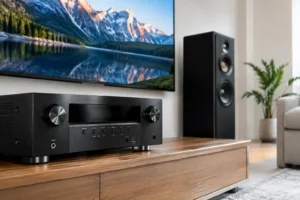
For high-priority entertainment equipment, wired connections are still worth considering. Connecting a media-room TV, Apple TV, gaming console, or AV receiver by Ethernet reduces wireless traffic and provides a stable path for high-bandwidth content. This can make a noticeable difference during busy evenings when several people are online at once.
It also helps to choose a system with enough capacity for your needs. WiFi 6 and newer equipment can manage more devices efficiently than older generations, but the logo on the box is not a complete design plan. The best equipment is the equipment that fits your property and can be installed where it will perform properly.
At Frequencies USA, we design WiFi and entertainment systems as one connected experience. That may include strategically placed access points, concealed low-voltage wiring, hardwired connections for key AV components, and coverage that reaches the places you actually spend time.
A well-designed mesh network should disappear into daily life. Your family should be able to start a 4K movie in the media room, follow the game outside, and take a video call from the office without thinking about signal bars or restarting equipment. If your network is getting in the way of how you enjoy your home, a custom assessment can turn that frustration into a system that simply works where you need it.
 Previous Post
 Next Post