10 Best Business Camera Features for Real Security
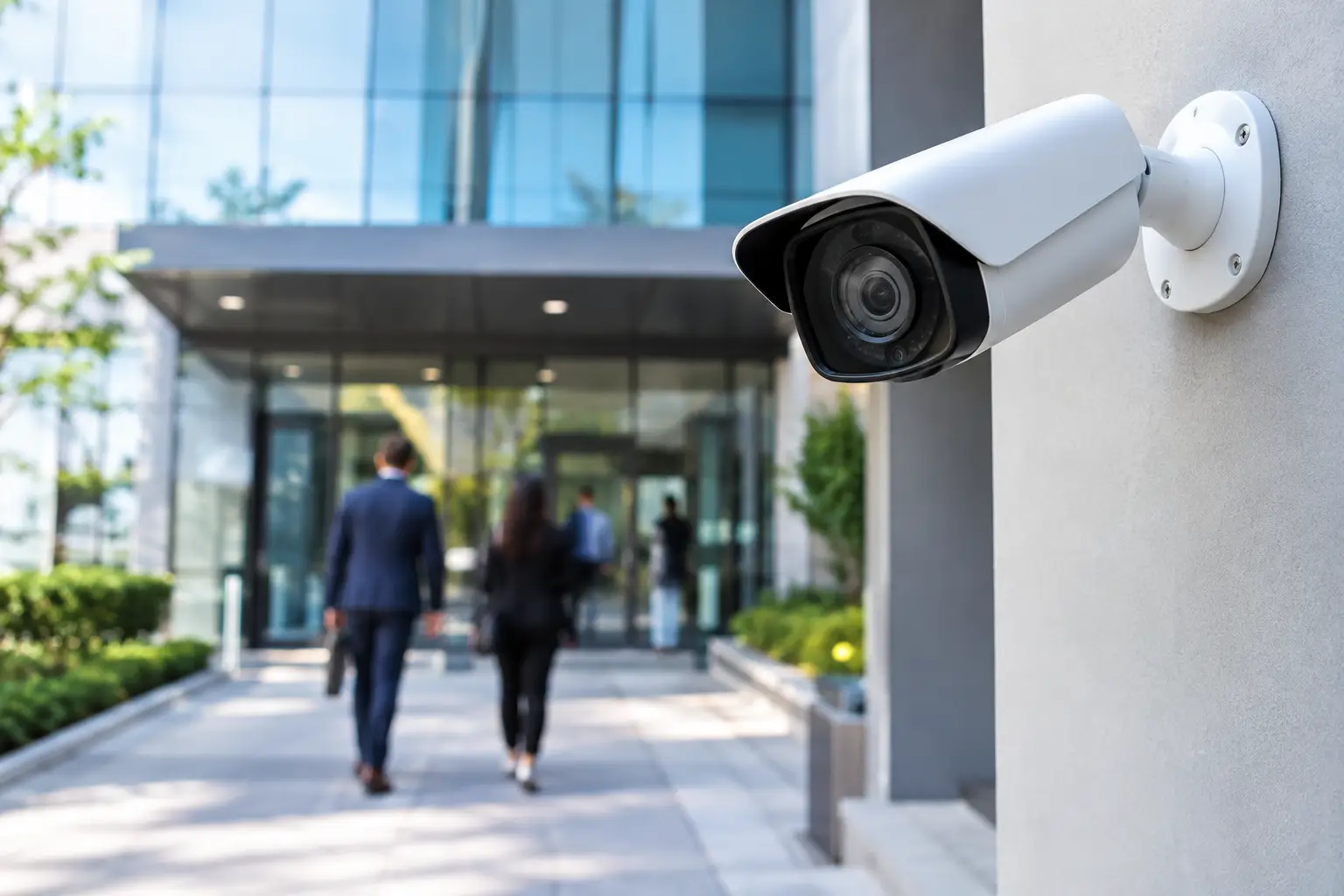
A camera that produces grainy footage, sends alerts every time a palm frond moves, or misses the area beside your entrance is not providing much protection. The best business camera features create useful visibility: clear video when it matters, intelligent alerts your team can act on, and coverage that fits the way your property actually operates.
For Florida businesses, the right system also needs to stand up to heat, humidity, storms, changing light, and busy outdoor activity. Choosing cameras is less about chasing the longest specification sheet and more about combining the right capabilities with thoughtful placement, dependable networking, and professional installation.
Best Business Camera Features That Improve Daily Security
1. Resolution that matches the scene
High resolution is valuable when you need to identify faces, read details at a point of sale, or review activity around an entry. A camera with 4K resolution can provide greater detail, particularly across a wide lobby, parking area, or warehouse floor.
More resolution is not automatically better everywhere. Higher-resolution video requires more bandwidth and storage, and a camera mounted too far from the subject may still not deliver the detail you need. A well-designed system may use different camera resolutions in different zones, putting detail where it will make a practical difference.
2. Wide dynamic range for difficult lighting
Entrances are one of the most important places to monitor and one of the easiest places to get wrong. A person walking from bright Florida sunshine into a shaded doorway can appear as a dark silhouette on a basic camera. Wide dynamic range, often called WDR, helps balance bright and dark portions of the same image.
This feature is especially useful at glass storefronts, reception areas, loading doors, and any entrance facing the sun. It gives you a much better chance of seeing both the visitor and the background clearly rather than choosing between a blown-out window and an underexposed face.
3. True low-light and night vision performance
Security incidents do not wait for business hours. A capable business camera should continue producing usable images after sunset, whether it relies on infrared night vision, low-light color imaging, or a combination of both.
The key word is usable. Infrared can create crisp black-and-white footage in complete darkness, but reflective surfaces, glass, and nearby walls can sometimes cause glare. Color night vision can add valuable context, such as vehicle color or clothing color, but usually needs at least some ambient light. The best choice depends on the specific location, its existing lighting, and how much detail is required after dark.
4. Smart motion detection that filters the noise
A motion alert sounds helpful until it arrives dozens of times each day because of rain, headlights, shadows, landscaping, or passing traffic. Modern camera analytics can distinguish between people, vehicles, and general movement, reducing interruptions while helping your team focus on meaningful activity.
For example, a business may want an alert when a person enters a restricted service area after closing, but not when cars pass on the adjacent road. Properly configured activity zones and object detection make that possible. These settings need to be tuned for the property, not left at generic factory defaults.
5. Line crossing and intrusion zones
Some areas need more than a record of motion. You may want to know when someone crosses a gate line, approaches a rear door, enters an equipment enclosure, or steps into an employee-only area. Line-crossing and intrusion-zone analytics give a camera a clear rule to monitor.
This feature is particularly valuable for businesses with loading areas, outdoor inventory, pool equipment, fenced perimeters, or back-of-house access points. It can also help reduce the time spent searching recorded footage after an incident. Instead of reviewing hours of video, you can look at events tied to a defined area or boundary.
6. Remote viewing that is actually easy to use
Owners and managers need the ability to check their property without being on-site. A well-designed remote viewing platform allows authorized users to see live cameras, review recorded video, receive relevant alerts, and share footage when needed.
Convenience should not come at the expense of control. The system should support separate user permissions, so employees do not automatically receive the same access as an owner or manager. It should also be simple enough that the person responsible for opening or closing the business can use it confidently without calling for technical help.
7. Secure access and protected footage
Internet-connected cameras are part of your business network, which makes security settings just as important as image quality. Look for encrypted remote access, strong password management, multi-factor authentication where available, regular firmware support, and the ability to manage user permissions.
A professional installation also considers how the cameras connect to the network. Separating security devices appropriately, securing equipment, and avoiding exposed wiring all help protect the system and maintain a clean appearance. A camera system should not create a new weak point in your technology environment.
8. Storage designed around your real retention needs
Recorded video only helps if it is still available when you need it. Storage requirements depend on camera count, resolution, frame rate, recording schedule, analytics, and how long your business wants to retain footage. Continuous recording captures more context, while event-based recording can reduce storage demands.
There is a trade-off. Event-only recording may miss what happened immediately before an alert if settings are not configured carefully. Continuous recording requires more storage but can make investigations much easier. For many businesses, the right approach is a balanced plan with continuous recording in high-priority areas and intelligently triggered recording elsewhere.
9. Outdoor durability and vandal resistance
Exterior cameras need enclosures rated for outdoor conditions, not simply a convenient spot under an overhang. In the Tampa Bay area, cameras may face wind-driven rain, intense sun, humidity, salt air near the coast, and insects. A properly selected outdoor model protects the electronics while preserving image quality.
Vandal-resistant housings are worth considering for cameras installed within reach around entrances, walkways, or parking areas. Just as important is the mounting method. A camera should be positioned to see the intended scene without being easy to block, redirect, or damage.
10. Integration with the systems your business already uses
The most effective camera system works with the rest of the property rather than operating as an isolated tool. Depending on your needs, cameras can complement access control, alarm systems, audio announcements, gate controls, lighting, and reliable Wi-Fi infrastructure.
Integration should solve a specific problem. A camera at a delivery entrance may help verify access events. Exterior lighting can improve nighttime footage and make the property feel safer for staff and guests. Strong network coverage keeps cameras connected without competing unnecessarily with daily business operations. The goal is practical control, not technology for its own sake.
The Feature That Matters Most: Proper System Design
Even the best camera can fail when it is placed too high, aimed poorly, blocked by signage, or connected through an unreliable network. Before selecting equipment, walk the property and identify what each camera needs to accomplish. Is the goal deterrence, identification, employee safety, delivery verification, perimeter awareness, or a better view of customer traffic?
Camera height and angle affect whether you capture a usable face or only the top of a hat. Backlighting affects whether an entrance image is clear. Network capacity affects whether remote video loads quickly. Storage settings affect whether footage remains available weeks later. These decisions are why a custom plan is more valuable than a box of cameras mounted wherever power happens to be nearby.
A clean installation matters, too. Concealed wiring, neatly located equipment, and thoughtfully placed cameras protect the professional appearance of your business. Customers should notice that your property feels organized and secure, not a tangle of exposed cables or oversized hardware.
Choosing Features Based on Your Business
A retail storefront may prioritize clear entrance coverage, point-of-sale visibility, people alerts, and after-hours monitoring. A professional office may focus on reception, entrances, parking, and access to restricted areas. A warehouse or contractor yard may need broad outdoor coverage, line-crossing alerts, durable equipment, and longer video retention.
Start with the risks and routines that matter most at your location. Then choose camera features that support those priorities within a sensible budget. Frequencies USA can help businesses turn that conversation into a polished, professionally installed security camera system with dependable coverage and straightforward everyday control.
The right camera system should give you more than recorded video. It should help you check in with confidence, respond faster when something is wrong, and keep your attention on running the business.
 Previous Post
 Next Post